
Many Malaysian businesses already use QR codes, WhatsApp Communities and social media to stay connected with customers. The problem is that these channels are often scattered across different signs and links.
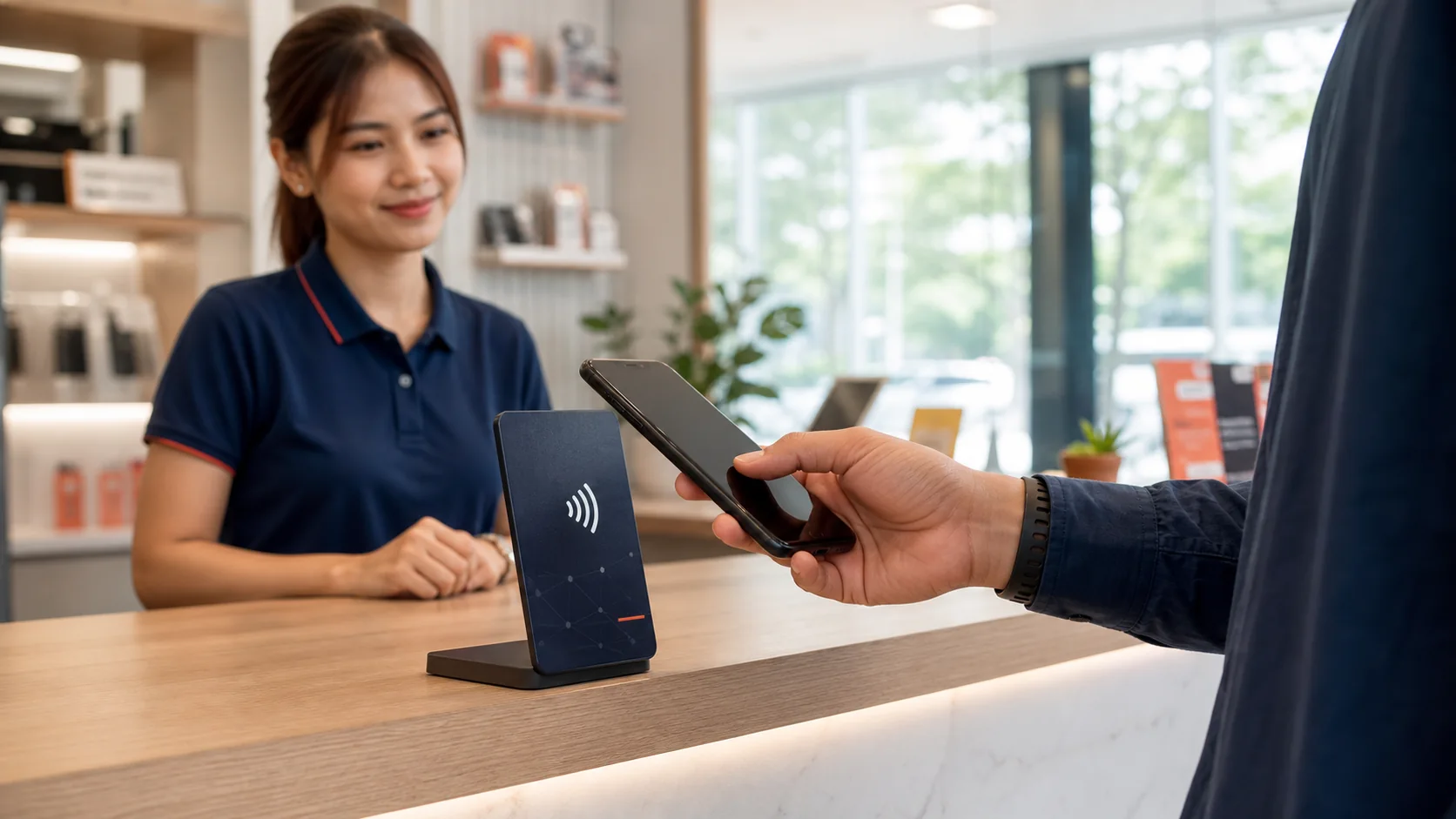
An NFC customer engagement card brings those useful actions together at the moment a customer is already interacting with your business. The customer taps the card with a compatible smartphone—or scans its QR code—and chooses what to do next.
That next action could be leaving a Google review, joining the business’s WhatsApp Community, following a social account or watching selected video content. The purpose is not to impress people with technology. It is to make customer engagement easier and more consistent.
Quick Answer: What Is an NFC Customer Engagement Card?
An NFC customer engagement card is a physical card or display containing an NFC tag. When a customer holds a compatible smartphone near it, the phone can offer to open a programmed web link. A QR code is normally included as an alternative.
That link can open a simple engagement page with selected actions such as Google Reviews, Join WhatsApp, Facebook, Instagram, TikTok, YouTube or XiaoHongShu / RedNote. The Join WhatsApp button opens the business-provided WhatsApp Community invitation.
The practical journey is: Tap or scan → Open the engagement page → Choose an action → Connect with the business.
What Makes It Different from a Normal NFC Google Review Card?
A normal NFC Google Review card is usually designed for one task: taking the customer directly to a business’s Google review form. That can work well when reviews are the only priority.
A customer engagement card has a broader purpose. It can give the customer several useful choices from one physical touchpoint.
| Comparison point | Google Review NFC Card | NFC Customer Engagement Card |
|---|---|---|
| Primary purpose | Request a Google review | Support several customer actions |
| Destination | Direct Google review form | Configured customer engagement page |
| Customer choice | One review action | Reviews, community and social actions |
| Best for | Businesses focused mainly on reviews | Businesses building ongoing multi-channel engagement |
| Access method | NFC tap, often with a QR fallback | NFC tap and QR scan |
Neither approach is automatically better. Choose the simplest setup that supports your real business objective. If Google Reviews are the only goal, a direct review link may create the shortest route. If different customers prefer different channels, a multi-action engagement page can be more useful.
How Does an NFC Customer Engagement Card Work?
Step 1: The Customer Notices the Card or Display
The card is placed at a natural customer touchpoint, such as a payment counter, reception desk, restaurant table, service counter or product-collection area. A clear message tells the customer what tapping or scanning will do.
Step 2: The Customer Taps or Scans
With NFC, the customer holds a compatible phone very close to the marked tap area. The phone normally shows a prompt to open the programmed web address. If NFC is unavailable, disabled or unfamiliar, the customer can scan the printed QR code instead.
Step 3: The Engagement Page Opens
The page presents only the actions selected for that business. A restaurant may prioritise Google Reviews and Instagram. A workshop may prioritise Google Reviews and Join WhatsApp. A furniture showroom may feature Join WhatsApp, Facebook and YouTube content.
Step 4: The Customer Chooses the Next Action
The customer remains in control. They may leave feedback, open the WhatsApp Community invitation and choose whether to join, follow a social channel or continue browsing. A useful engagement system creates convenience; it does not force every visitor into the same action.
NFC reader/writer mode and web-link tags are established parts of NFC technology. If you want a broader explanation of the technology, read how an NFC digital business card works.
Why Use NFC and QR Together?
NFC creates a convenient tap experience, but it should not be the only route. Customers use different phones, settings and habits. Some people immediately understand the contactless symbol; others are more comfortable opening their camera and scanning a QR code.
The printed message should also explain the outcome. “Connect with us” or “Review, join our WhatsApp Community or follow us” is more useful than a vague “Tap here”.
Seven Practical Benefits for Malaysian Businesses
1. Make Genuine Google Reviews Easier
A satisfied customer may be willing to review your business but forget once they leave. A card at the correct touchpoint reduces the number of steps needed to reach the review form.
Ask customers to share their genuine experience. Do not offer discounts for reviews, request only positive feedback or tell customers to give five stars. For a complete process, see how to get more Google reviews in Malaysia.
2. Invite Customers to Join Your WhatsApp Community
The customer-facing EvoReview action is a Join WhatsApp button. When selected, it opens the WhatsApp Community invitation link supplied by the business so the customer can choose whether to join the community group.
3. Help Customers Find the Right Social Channel
Customers may want to see new menu items, before-and-after work, product arrivals, educational videos or promotions. Instead of asking them to search for the correct account, the engagement page can link directly to the selected channels.
4. Give Different Customers Different Choices
One customer may want to review the business. Another may choose to join its WhatsApp Community. A third may want to follow Instagram or TikTok. One engagement point can serve these different intentions without covering the counter in separate signs.
5. Reduce QR-Code Clutter
Five unrelated QR codes create a decision problem: customers have to work out which code does what. One clearly labelled NFC-and-QR point can open an organised page instead.
6. Make Waiting Time More Useful
Customers in a workshop waiting area, salon reception, clinic lobby or showroom may already be looking at their phones. A well-positioned display gives them a useful way to engage while they wait—without staff needing to interrupt them.
7. Turn Engagement into a Repeatable Staff Process
The card is most effective when it supports a simple service routine. Staff can use one natural sentence at the end of a successful interaction: “If you’d like to review us, join our WhatsApp Community or follow our updates, you can tap or scan here.”
This is easier to train, monitor and improve than relying on employees to remember several links or instructions.
How Different Businesses Can Use It
| Business Type | Best Moment | Useful Actions | Suggested Placement |
|---|---|---|---|
| Restaurant or café | After the meal or during payment | Google Review, Instagram, TikTok, Join WhatsApp | Table, menu holder or payment counter |
| Car workshop | After completed work is explained | Google Review, Join WhatsApp | Service counter, waiting area or vehicle collection desk |
| Hair or beauty salon | After the customer sees the final result | Google Review, Instagram, TikTok, Join WhatsApp | Mirror station, reception or payment counter |
| Retail shop | After checkout or helpful product assistance | Google Review, Join WhatsApp, Facebook, Instagram | Beside the payment terminal or collection point |
| Furniture or product showroom | During consultation or before the customer leaves | Join WhatsApp, Facebook, YouTube | Consultation desk or display area |
| Property sales | After a viewing or project explanation | Join WhatsApp, video and social channels | Sales gallery or consultant’s mobile card |
| Home and on-site services | After the customer confirms completion | Google Review, Join WhatsApp | Portable NFC card carried by the team |
The right configuration depends on what customers genuinely need next. A restaurant does not need the same action order as an air-conditioning service business. Start with the customer journey, then select the links.
NFC Card, A5 Display Board or Both?
Choose an NFC Card When Portability Matters
A card is compact and easy to bring to a table, service area, event or customer’s premises. It suits mobile teams, consultants, sales staff and smaller counters.
Choose an A5 Display Board When Visibility Matters
A larger display is easier to notice from a short distance and provides room for a clearer instruction. It suits reception areas, payment counters, waiting rooms, workshops, cafés and showrooms.
Choose Both When Customers Engage in Several Places
A fixed board can remain at the main counter while staff carry a card to tables, consultation desks or on-site jobs. The combination is useful when the transaction does not always end in one location.
What Should You Put on the Engagement Page?
More buttons do not automatically create more engagement. A short, prioritised page is usually easier to understand.
- Google Review: useful after a completed, genuine customer experience.
- Join WhatsApp: opens the business-provided WhatsApp Community invitation so the customer can choose whether to join the community group and receive relevant community updates.
- Facebook: useful when customers follow business updates or community content there.
- Instagram: useful for visual portfolios, food, beauty, fashion, products and project work.
- TikTok: useful when short videos are part of the business’s active marketing.
- YouTube: useful for demonstrations, explanations, tours and longer educational content.
- XiaoHongShu / RedNote: useful when it is relevant to the business’s actual audience.
A Practical Seven-Day Implementation Plan
Day 1: Choose One Business Objective
Decide whether the immediate priority is reviews, WhatsApp Community membership, social following or a practical combination.
Day 2: Select and Verify the Links
Use the exact business destinations. Remove inactive social accounts and test the Google review link and business-provided WhatsApp Community invitation.
Day 3: Choose the Physical Format
Select a portable card, visible A5 board or combination based on where the customer interaction ends.
Day 4: Decide the Placement
Put it where customers naturally pause, pay, collect a product, approve completed work or wait.
Day 5: Give Staff One Sentence
Use a neutral invitation such as: “If you’d like to connect with us after today, you can tap or scan here.”
Day 6: Test the Full Journey
Test NFC and QR with different phones. Check loading speed, button order, destinations and what happens if the customer is not signed in to a platform.
Day 7: Launch and Observe
Watch whether customers notice the display, understand the instruction and complete the action without help. Use what you observe to improve the placement or wording.
What Should You Measure?
Start with information your business can genuinely observe or obtain from its existing channels:
- how often staff mention the engagement option
- whether customers notice the card without assistance
- new Google reviews during the period
- changes in WhatsApp Community membership during the period
- changes in followers or interactions on the prioritised social channels
- which placement or branch creates the most customer interest
- customer questions or points of confusion
Common Mistakes to Avoid
1. Using a Vague Instruction
“Tap here” does not explain the benefit. Tell customers whether they can review, join your WhatsApp Community, follow or explore.
2. Adding Every Possible Channel
An overcrowded page creates hesitation. Prioritise active channels that support a real customer need.
3. Placing It Where Customers Cannot Reach It
A display hidden behind equipment or staff is easy to ignore. Customers should be able to see and use it comfortably without handing over their phone.
4. Depending on the Display Without Staff Support
The display can attract attention, but a short, well-timed staff invitation makes the process clearer. Add it to the customer-service SOP.
5. Failing to Test NFC and QR
Test the actual card at its intended location. Metal surfaces, phone settings, reading position and damaged or outdated links can affect the experience.
6. Treating Google Reviews as a Reward Exchange
Do not offer discounts, free items or other incentives in exchange for Google reviews. Do not direct only customers expected to leave positive reviews to Google. Invite genuine, voluntary feedback and let customers decide what to say.
7. Expecting the Technology to Replace Good Service
The card makes an action easier; it does not create customer satisfaction. Service quality, timing and staff behaviour remain the foundation.
Is an NFC Customer Engagement Card Suitable for Your Business?
It is most useful when your business has face-to-face customer interaction and at least one meaningful next action after the transaction.
- customers regularly visit a counter, table, reception, showroom or service area
- staff can introduce the option at a natural moment
- your Google Business Profile, WhatsApp Community or social channels are active
- you want one organised engagement point instead of several separate QR signs
- your team is willing to test links and keep destinations up to date
It may be less useful if the business has almost no in-person interaction, inactive online channels or no clear reason for customers to connect after the transaction. In that situation, improve the customer journey and online destinations first.
A Simple NFC + QR Option: EvoReview Essential
For businesses that want a ready customer-engagement touchpoint, EvoReview Essential combines NFC and QR access in a physical card or display.
The configured engagement page can provide convenient access to selected actions such as Google Review, Join WhatsApp, Facebook, Instagram, TikTok, YouTube and XiaoHongShu / RedNote. The Join WhatsApp button opens the business-provided WhatsApp Community invitation; it is not a direct messaging button. Choose only the channels relevant to your business.
NFC Card — RM89.90
A compact option for mobile staff, smaller counters, tables and on-site service teams.
NFC A5 Display Board — RM168
A more visible option for payment counters, reception areas, workshops, restaurants and showrooms.
Card + A5 Display Combo — RM188
A practical combination when customers engage at a fixed counter and elsewhere in the business.
Custom logo printing is available within the standard template. Logo design is not included. Prices and inclusions shown here were current on 9 August 2026; check the EvoReview solution page for the latest published information.
EvoReview reduces access friction but does not guarantee reviews, ratings, WhatsApp Community joins, followers, sales or search rankings. Businesses remain responsible for good service, appropriate requests and compliance with each platform’s policies.
Important distinction: the Join WhatsApp button on the customer engagement page opens your WhatsApp Community invitation. The EvoCardLink contact button below opens a separate sales conversation with EvoCardLink about the product.
You can also buy EvoReview online.
Final Thoughts
An NFC customer engagement card is not simply a digital sign. Used properly, it becomes a small but repeatable part of the customer journey.
The strongest setup is straightforward: choose a real business objective, offer NFC and QR, place the touchpoint where customers naturally finish an interaction, give staff one helpful sentence and keep every destination accurate.
For Malaysian businesses, the value comes from reducing friction. A satisfied customer should not need to search for the correct Google listing, WhatsApp Community invitation or social account. Give them one clear place to start, then let them choose how they want to connect.
Frequently Asked Questions
What is an NFC customer engagement card?
It is a physical card or display with an NFC tag that can open a configured engagement page when tapped with a compatible smartphone. A QR code is normally added as an alternative. The destination may contain actions such as Google Review, Join WhatsApp and selected social channels. Join WhatsApp opens the business-provided WhatsApp Community invitation.
Does the customer need to install an app?
Normally, no special app is required for a modern compatible smartphone to read an NFC web-link tag or scan a QR code. The phone may show a prompt that the customer taps to open the destination.
Does tapping the card collect the customer’s personal data?
Not merely from the tap itself in this use case. The card opens the configured link. If the customer selects Join WhatsApp, WhatsApp opens the business’s Community invitation and the customer decides whether to join. Any membership information or information later provided through WhatsApp, a form or another platform is governed by that platform interaction and the relevant privacy terms.
Does Join WhatsApp start a private chat with the business?
No. In EvoReview, the Join WhatsApp button opens the WhatsApp Community invitation link supplied by the business. The customer can then choose whether to join the community group inside WhatsApp. It is not the button for quotations, support, appointments or private enquiries.
Is NFC better than a QR code?
They solve the same access problem in different ways. NFC offers a convenient tap, while QR is highly familiar and provides a useful fallback. Using both gives customers a choice.
Can it link directly to Google Reviews?
Yes. It can be configured as a direct Google Review card, or Google Review can be one option on a wider engagement page. Ask for genuine feedback and do not offer incentives or tell customers which rating to give.
Can I change the links later?
That depends on the solution and how it is configured. Confirm update arrangements, limitations and any service terms before buying. With EvoReview, ask the team about the current setup and change process for your selected channels.
Where should I place the card or display?
Place it where the customer naturally pauses near the end of a positive interaction: the payment counter, restaurant table, reception desk, service counter, waiting area, consultation desk or product-collection point.
Will it work with every smartphone?
Not in every situation. Compatibility, NFC settings, the phone’s reading point and some cases can affect tapping. A visible QR code gives customers another route.
Can an NFC engagement card guarantee more reviews or followers?
No. It makes selected actions easier to reach, but results still depend on service quality, customer willingness, staff timing, placement and the business’s ongoing marketing.
How much does EvoReview Essential cost?
As of 9 August 2026, the NFC Card is RM89.90, the NFC A5 Display Board is RM168, and the Card + A5 Display Combo is RM188. Check the EvoReview page for the latest published pricing and inclusions.
Make Customer Engagement Easier at Your Counter
Tell us where your customers interact with your business, and EvoCardLink can help you compare the NFC card, A5 display and combo options.
Prefer another contact method? Contact EvoCardLink.