
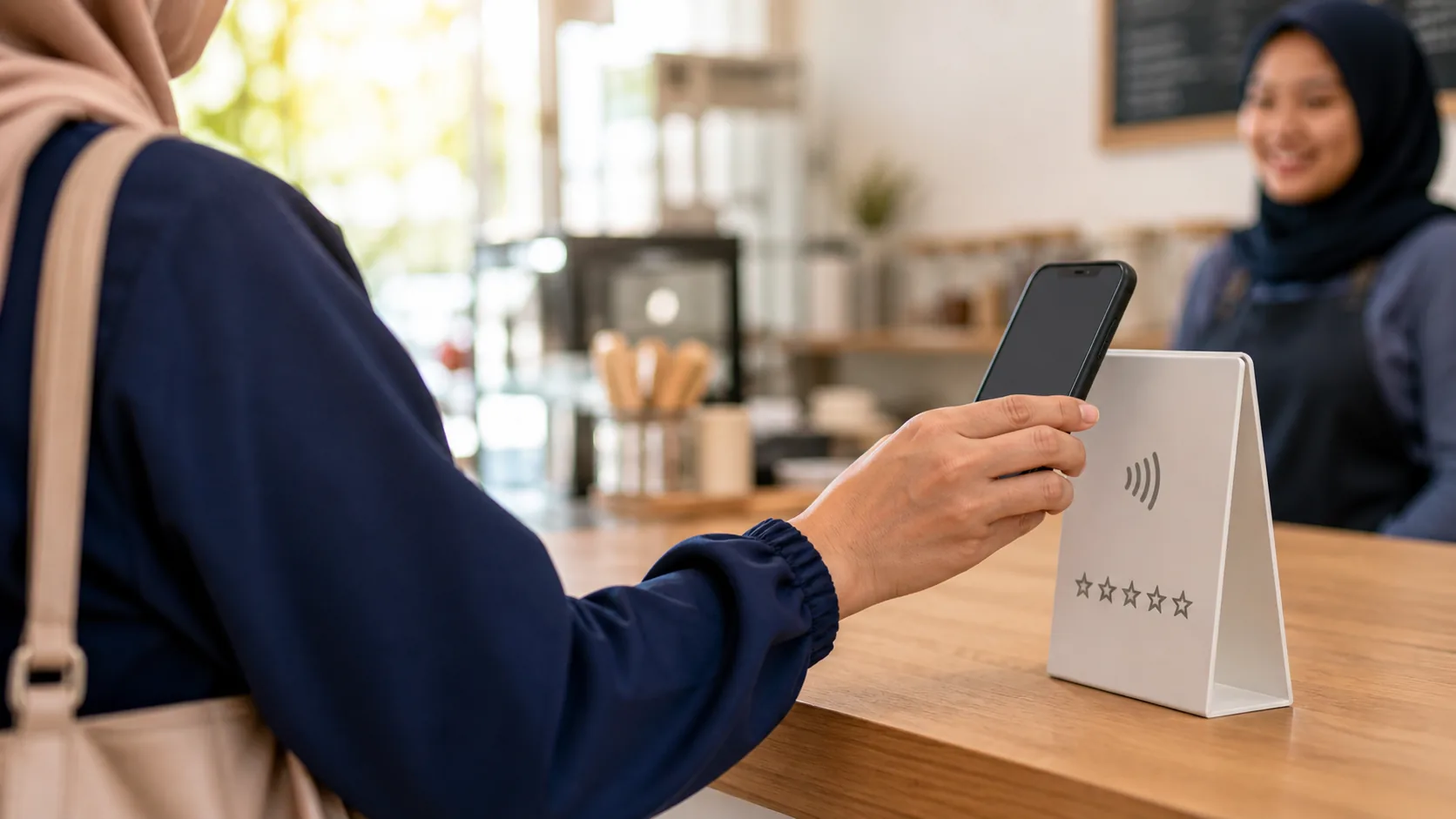
For many Malaysian businesses, serving the customer well is only half the challenge. The next challenge is getting that satisfied customer to share their experience on Google.
A customer may enjoy the meal, collect a properly repaired car, leave a salon happy with the result or receive excellent home service. Once they leave, however, work, family and messages take over. The review they intended to write is easily forgotten.
The answer is not to pressure customers or repeatedly ask for five stars. It is to create a simple, consistent process that makes genuine feedback easy at the right moment.
Quick Answer: How Can a Business Get More Google Reviews?
The most practical way to get more Google reviews is to ask genuine customers near the end of a real transaction and give them a direct route to the correct review form. Use a Google review link, QR code, NFC touchpoint or one polite WhatsApp follow-up so the customer does not need to search for your business manually.
A simple workflow is: Serve → Ask → Tap or scan → Review → Respond → Improve.
Keep the request neutral. Ask customers to share their genuine experience; do not offer rewards, request a particular rating or filter out customers you think may be unhappy.
Why Google Reviews Matter for Malaysian Businesses
Google reviews sit close to the moment when a potential customer is comparing nearby businesses. They can help people understand recent customer experiences, see how the business responds and decide whether to call, visit or request a quotation.
Reviews can also support local visibility. Google explains that local results are mainly influenced by relevance, distance and prominence, and that more reviews and positive ratings can help local ranking. Reviews are not a shortcut or a guarantee, however. Your Business Profile should also contain accurate categories, opening hours, contact details, services, photos and location or service-area information.
The strongest review strategy is therefore not “collect as many stars as possible”. It is “make genuine customer feedback a normal part of the service journey”.
1. Create a Direct Google Review Link
Do not tell customers to search for your company, choose the correct branch, open the Reviews section and find the review button. Every extra step creates another opportunity for the customer to stop.
Instead, create a direct review-request link from your Google Business Profile. Google’s current instructions are:
- Open your Business Profile on a computer browser.
- Select Read reviews.
- Select Get more reviews.
- Copy the review link or download the QR code.
Google notes that the QR code is currently generated on a computer browser, not a mobile device. Interface labels can change, so refer to Google’s current guide on creating a review link or QR code if you do not see the same options.
Once you have the link, use it consistently in QR codes, NFC cards or displays, WhatsApp messages, receipts, thank-you emails and after-sales conversations.
Practical Rule
Do not ask customers to find your review page. Take them directly to it.
2. Ask at the Right Moment
The best time is usually when the service or transaction has just been completed and the experience is still fresh. The request should be part of a consistent customer-service process, not reserved only for customers you predict will give a high rating.
Restaurant or Café
Ask after the meal, when presenting the bill or at the payment counter.
Car Workshop
Ask during vehicle collection, after explaining the completed work, or in a short follow-up message.
Salon or Beauty Business
Ask after the customer sees the completed result or during payment.
Retail or Home Service
Ask after checkout, product collection or confirmation that the on-site job has been completed.
A request made weeks later has less context and is easier to ignore. Ask while the customer can still remember the details of the experience.
3. Make the Review Request Simple and Natural
Staff sometimes avoid asking because they worry the request will sound pushy. A short, neutral sentence is enough.
English
“If you’d like to share your experience today, we’d really appreciate your feedback on Google. You can tap or scan here.”
Bahasa Malaysia
“Jika anda ingin berkongsi pengalaman hari ini, kami amat menghargai maklum balas anda di Google. Boleh tap atau scan di sini.”
中文
“如果您愿意分享今天的体验,我们非常感谢您在 Google 留下反馈。您可以直接轻触或扫描这里。”
These requests invite honest feedback. They do not tell customers to give five stars or suggest what they should write.
4. Put the Google Review QR Code Where Customers Naturally See It
A QR code hidden behind the cashier or mixed into a crowded poster is unlikely to help. Place it at the point where the customer naturally completes the interaction.
- Restaurant: table, bill holder, payment counter or receipt area.
- Workshop: service counter, waiting area, invoice or vehicle collection desk.
- Salon: reception, mirror station, waiting area or payment counter.
- Retail shop: checkout, collection point, receipt or shopping-bag insert.
- Home service: technician’s mobile display card, invoice or follow-up message.
Do not print only “Scan here”. Explain the result before the customer scans:
Share Your Experience on Google
Scan the QR code to leave your feedback.
Google itself recommends including the QR code on receipts and displaying it in-store.
5. Give Customers NFC and QR Options
QR codes are familiar to most Malaysian customers. NFC offers a faster tap experience on compatible phones. In practice, the strongest counter setup usually offers both:
Tap with NFC or scan the QR code.
This gives customers a choice. A person who understands NFC can tap; someone who prefers the camera can scan. If you are new to the technology, read how an NFC digital business card works.
The technology is not the main selling point. Its job is simply to reduce the number of steps between the customer and the correct review page.
6. Use WhatsApp as a Second Opportunity
Many Malaysian customer relationships continue through WhatsApp after the customer leaves. Google currently lists WhatsApp messages as one way to send a review request. Use the direct review link and keep the follow-up relevant to the completed transaction.
Car Workshop Follow-Up
Hi Mr Tan, thank you for visiting us today. We hope everything is running well after the service. If you have a moment, you’re welcome to share your experience on Google:
[Google Review Link]
Thank you for your support.
Retail Follow-Up
Hi Sarah, thank you for your purchase today. We hope you enjoy your new product. If you’d like to share your experience, you can leave us a Google review here:
[Google Review Link]
Thank you!
Home Service Follow-Up
Hi Jason, thank you for choosing us for your air-conditioning service today. If you’d like to share your experience, you can leave your feedback on Google here:
[Google Review Link]
One polite follow-up is normally enough. Avoid repeated reminders that make the customer feel pressured.
7. Train Your Staff Instead of Depending on a Signboard
A display is only one part of the system. Staff still need to know when to mention it and what to say.
- Choose the exact customer touchpoint: bill, checkout, collection or job completion.
- Give staff one approved sentence.
- Show staff where the NFC and QR display is placed.
- Ask them to offer the option consistently, without requesting a particular rating.
- Review the results during the weekly team meeting.
For example, restaurant staff can say, “Thank you for dining with us. If you’d like to share your experience, you can tap or scan here to review us on Google.”
This turns the review request into a customer-service SOP instead of leaving it to memory.
8. Ask Genuine Customers Without Review Gating
Businesses naturally prefer positive reviews, but the process should not manipulate which customers reach Google.
Google’s user-contributed content policy permits merchants to encourage content based on a genuine experience without incentives. It prohibits tactics such as:
- buying or arranging fake reviews,
- offering money, discounts, free items or other benefits in exchange for a review,
- discouraging or prohibiting negative reviews,
- selectively asking only customers expected to leave positive feedback,
- offering something in exchange for changing or removing a negative review.
A stronger long-term system is simple: provide a good service, make feedback available to genuine customers and let each customer decide what rating and comments to leave.
An occasional critical review is not automatically harmful. Google notes that a balanced mix can appear more trustworthy, and legitimate criticism can identify a service problem worth fixing.
9. Respond to Your Google Reviews
The review is not the end of the customer journey. A professional reply shows that the business listens and gives future customers additional context.
Example Response to a Positive Review
Thank you, David. We’re glad our team could explain the repair clearly before proceeding. We appreciate your trust and look forward to helping you again.
Example Response to a Negative Review
Hi Michael, thank you for sharing your feedback. We’re sorry the experience did not meet expectations. We would like to understand what happened and see how we can improve. Please contact our team at [contact method] so we can follow up privately.
Google recommends keeping replies professional, concise and relevant. Protect the customer’s privacy, avoid personal attacks and move complex issues to a private phone or email conversation. If a review violates Google’s content policy, report it through the proper process rather than arguing publicly.
Remember that the reply is public. You are writing not only for the reviewer, but also for future customers who may read the exchange.
10. Track the Process Every Week
Do not measure only the total review count. Track the actions that produce the result.
| Metric | Week 1 | Week 2 | Week 3 | Week 4 |
|---|---|---|---|---|
| Customers served | 150 | 165 | 170 | 180 |
| Review requests made | 40 | 75 | 95 | 120 |
| New Google reviews | 8 | 17 | 22 | 28 |
These figures help you see whether staff are asking, customers notice the display, WhatsApp works better than the counter request, one branch performs differently or the review link needs checking.
Measure the process to improve your service workflow—not to pressure staff or customers into producing a fixed number of positive ratings.
A Practical Google Review System for Malaysian Businesses
- Set up: create and test the direct Google review link.
- Make it accessible: connect the link to a QR code, NFC touchpoint and WhatsApp template.
- Place it properly: position the display where the customer completes the transaction.
- Train staff: give the team one neutral sentence to use.
- Follow up: send one polite message when appropriate.
- Respond: reply professionally to positive and negative feedback.
- Measure: review requests and results every week.
Serve → Ask → Tap or scan → Review → Respond → Improve
Example Implementation by Business Type
| Business | Best moment | Recommended touchpoint | Follow-up |
|---|---|---|---|
| Restaurant or café | After the meal or during payment | Table QR plus NFC counter display | Usually unnecessary unless WhatsApp is already part of the service flow |
| Car workshop | Vehicle collection | NFC card or A5 display at the service counter | Short WhatsApp check-in after servicing |
| Hair or beauty salon | After the finished result | NFC and QR at reception or mirror station | Optional thank-you message |
| Retail shop | Checkout or product collection | NFC and QR beside the payment terminal | Review link in the normal thank-you message |
| Home service business | After job completion | Portable NFC card plus direct link | WhatsApp after the customer confirms completion |
Common Google Review Mistakes to Avoid
- Offering a reward: do not exchange discounts, gifts or services for reviews.
- Requesting five stars: ask for the customer’s genuine experience, not a specific rating.
- Review gating: do not send only customers who report a positive experience to Google.
- Making customers search: provide the direct review link.
- Hiding the QR code: place it at the actual interaction point.
- Asking too late: make the request while the experience is fresh.
- Sending repeated reminders: one polite follow-up is normally enough.
- Ignoring critical reviews: respond professionally and improve where criticism is valid.
- Buying fake reviews: fake engagement can lead to review removal and restrictions on the Business Profile.
Turn Customer Satisfaction into Broader Engagement
Once a customer is at your counter with a phone, Google reviews may be only one appropriate next action. Depending on the business, customers may also want to join a WhatsApp Community, visit the website or follow an official Facebook, Instagram, TikTok, YouTube or XiaoHongShu / RedNote account.
A single organised customer-engagement page can be cleaner than placing unrelated QR codes around the counter. The important point is to keep each destination clear and let customers choose their preferred action.
A Simple NFC and QR Customer Engagement Solution
EvoReview Essential is a physical NFC customer engagement solution by EvoCardLink. Customers can tap the NFC or scan the QR code to open a mobile-friendly page containing the business links selected during setup.
Selected actions can include Google Review, a WhatsApp Community and official Facebook, Instagram, TikTok, YouTube or XiaoHongShu / RedNote pages. It is suitable for counters, reception areas, showrooms, workshops, restaurants and other customer-facing locations.
| EvoReview Essential option | Price | Practical use |
|---|---|---|
| NFC Card | RM89.90 | Portable use by staff or mobile service providers |
| NFC A5 Display Board | RM168.00 | More visible placement at a counter or reception area |
| Card + A5 Display Combo | RM188.00 | One portable card plus one fixed customer touchpoint |
Custom logo printing is available within the fixed standard template. Logo design and custom template design are not included. EvoReview makes the destination easier to reach; it does not guarantee reviews, positive ratings, followers or search ranking.
Review the current EvoReview Essential solution and pricing or buy EvoReview online.
Final Thoughts
Getting more Google reviews is not about pressuring customers. It is about removing friction from a genuine feedback process.
A customer may already be willing to share an experience. Make the next step clear while the interaction is fresh: offer a direct link, NFC tap, QR scan or one polite WhatsApp follow-up.
For Malaysian restaurants, workshops, salons, retail shops and service businesses, the most reliable long-term approach combines good service, neutral timing, convenient access, staff training, professional replies and weekly measurement.
When that process becomes part of the normal customer-service workflow, review collection becomes more consistent and less dependent on luck.
Frequently Asked Questions
How can I get more Google reviews for my business?
Create a direct Google review link, make it available through QR and NFC, ask genuine customers at a natural point in the service journey, send one polite WhatsApp follow-up where appropriate and respond to the reviews you receive.
Can a business ask customers to leave a Google review?
Yes. Google provides review links and QR codes that businesses can share. The request should be for an honest review based on a genuine experience, without incentives or pressure.
Can I give a discount for leaving a Google review?
No. Google’s policy prohibits offering money, discounts, free goods, services or other benefits in exchange for a review, a review change or removal of a negative review.
Should I ask customers for a five-star review?
No. Ask customers to share their genuine experience and let them choose the rating and comments.
Can I send my Google review link through WhatsApp?
Yes. Google’s current guidance lists WhatsApp messages as one way to send a review request. Use a direct link, identify the completed transaction and avoid repeated reminders.
Does a customer need a Gmail account to leave a Google review?
The customer must be signed into a Google Account, but the account can be created with a non-Gmail email address.
Is NFC better than a QR code for Google reviews?
Neither completely replaces the other. NFC offers a convenient tap on compatible phones, while QR codes are familiar and broadly accessible. Providing NFC and QR together gives customers both options.
Where should I put a Google review QR code?
Place it where customers naturally finish the interaction: a payment counter, table, reception desk, service counter, invoice, product collection point or vehicle collection area.
Do Google reviews help with local SEO?
They can help. Google states that more reviews and positive ratings can contribute to local ranking, but relevance, distance, prominence and complete Business Profile information also matter. No number of reviews guarantees a particular position.
Can an NFC review display guarantee more Google reviews?
No. NFC and QR can reduce the steps needed to reach the review form, but customers decide whether to leave a review and what to say. Results also depend on service quality, timing, staff communication and follow-up.
Make Customer Feedback Easier to Access
EvoReview Essential combines NFC and QR access in a card, A5 display or combo prepared for practical customer-facing use. Explore the current options or contact EvoCardLink to discuss the right setup for your counter, reception area or mobile team.